Redirect members to the forum after WordPress login
Login redirects send members to your forum, signed in, right after they log in to WordPress. Use them when most members log in to reach the forum. If members mostly log in for your website, a forum link in your menu is enough. See Add a Forum entrance link to your site.
Turn on login redirects
- Go to XenForo → Settings → User syncing → WordPress.
- Under Login actions, turn on Sign in and redirect to XenForo after WP login.
- Save settings.
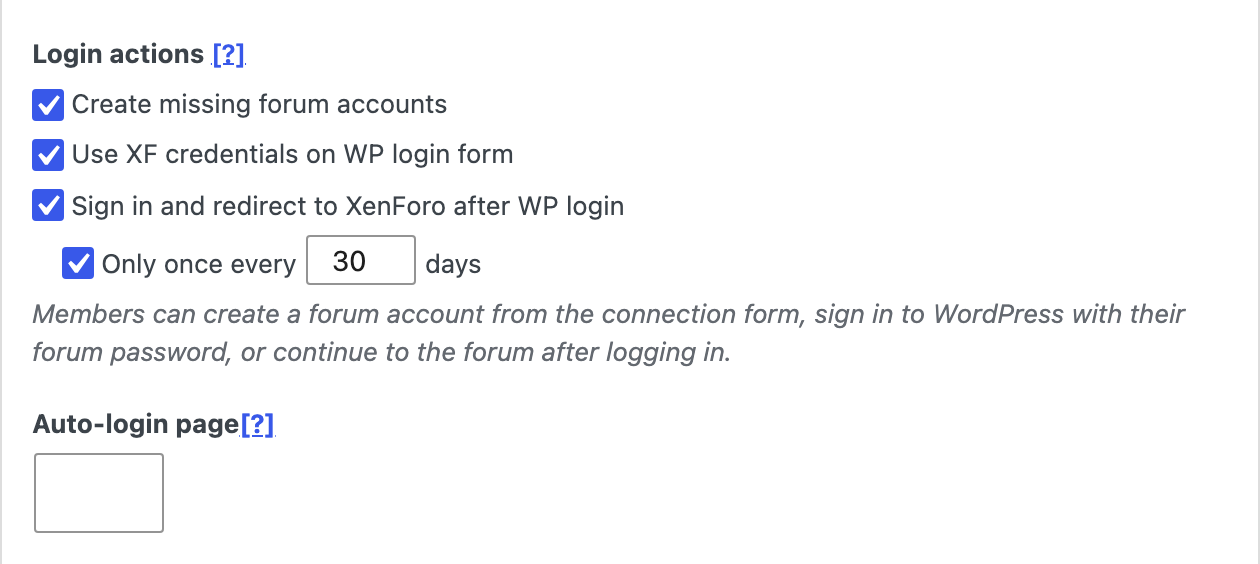
Only members with a connected forum account are redirected. Everyone else stays on WordPress as usual.
Redirect less often
To redirect each member at most once every few days, turn on Only once every and enter a number of days, such as 30. Other logins in that time stay on WordPress.
The count is kept per member, not per browser. A member can be logged out of the forum on a new device while their redirect is still waiting. The forum link in your menu always works, whatever the setting.
When members aren’t redirected
XFtoWP leaves these logins alone:
- Logins that already go somewhere specific, such as a login link that returns the member to a lesson or account page.
- WooCommerce login and checkout signups, and MemberPress signups.
- Logins made in the background by other plugins or apps.
- Members without a connected forum account. Redirects don’t create forum accounts. To let members create one, see Let members create or connect their forum account.
If another plugin runs its own login form, test it with redirects on.
Check that it works
- In a private window, log in to WordPress as a member with a connected forum account.
- You should land on the forum, signed in.
- With Only once every on, log out and log in again. You should stay on WordPress.
For developers
To skip the redirect for other logins, return true from the xfwp_skip_after_login filter:
add_filter( 'xfwp_skip_after_login', function( $skip ) {
	return $skip || isset( $_POST['my_signup_form'] );
} );