Manage a member’s forum account from the Edit User screen
Every WordPress user’s Edit User screen has a Sync panel. Administrators use it to see which forum account a member is connected to, connect one, or change their forum groups. Go to Users, open a member, and scroll to XenForo profile.
What the panel shows
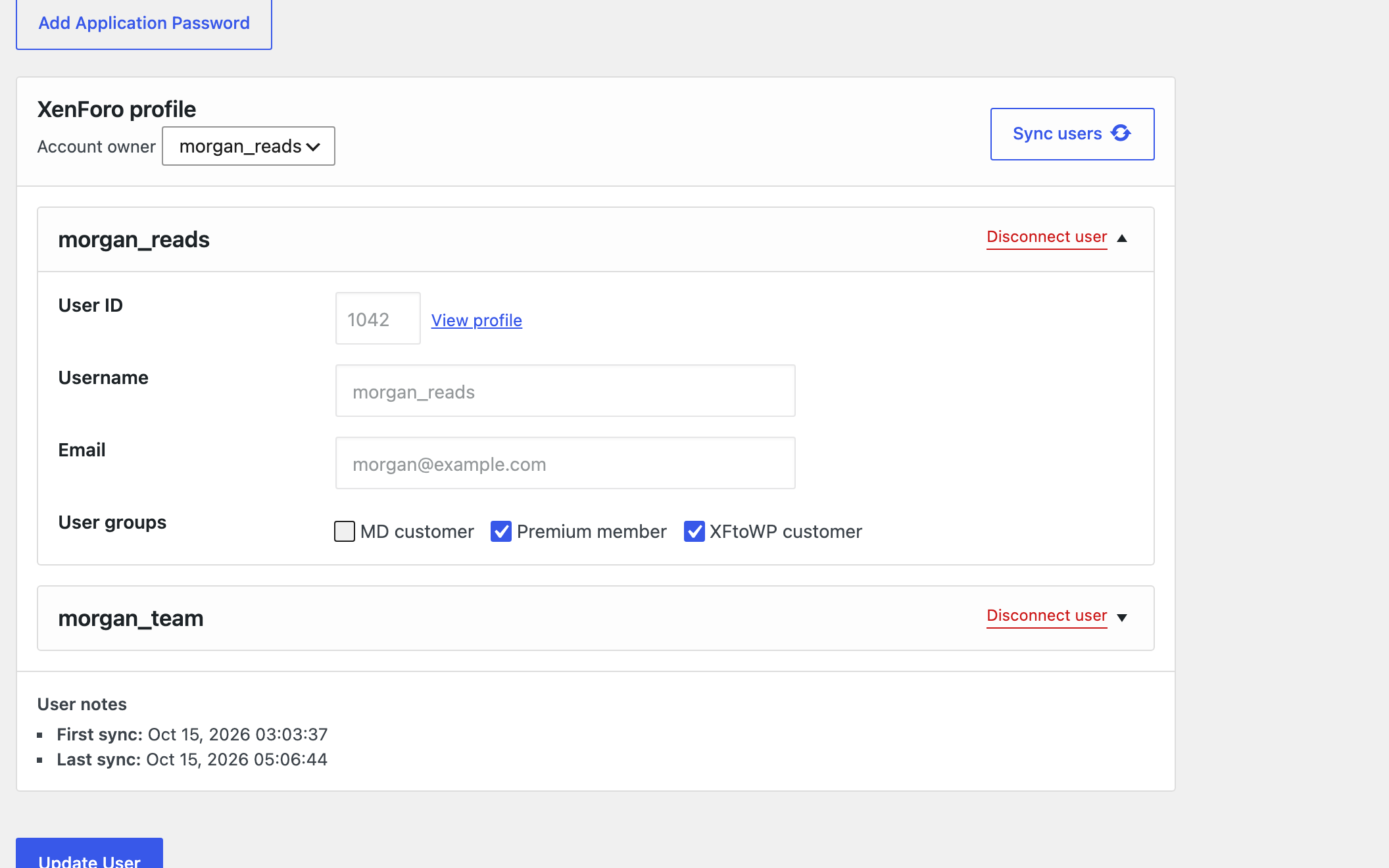
- Account owner: the member’s main forum account. This is the account the Forum entrance signs them in to.
- User ID, Username and Email of each connected forum account.
- User groups: the forum secondary groups set up in XFtoWP, checked where the member has them.
- User notes: the first and last time the member was synced.
The panel’s button reads Sync user, or Sync users when members can have more than one forum account.
Connect a forum account
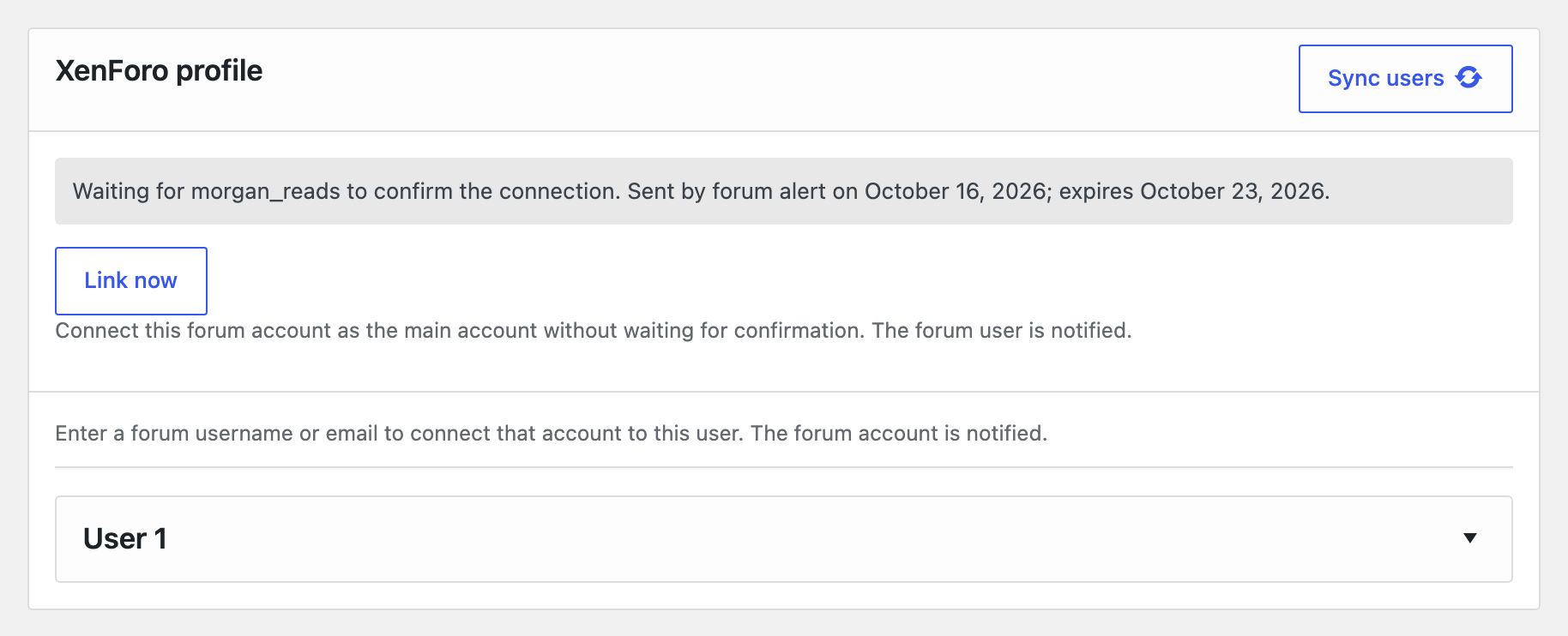
- Enter the forum username or email in the panel.
- Click Sync user.
The forum account is connected straight away, without the confirmation members go through. The forum account is told that an administrator connected it. If the account is already connected to another member, the panel shows an error instead.
When a member is waiting on a confirmation
If a member started connecting their forum account but hasn’t confirmed it yet, the panel shows who it’s waiting for and when the confirmation expires. Click Link now to finish the connection for them.
Change the main account
If a member has more than one forum account connected, choose a different one under Account owner and click Sync user. Both forum accounts are told about the change.
Members can only have more than one forum account if Users count in XenForo → Settings → User syncing → WordPress is higher than 1.
Remove the main account without disconnecting it
Choose None under Account owner and click Sync user. The forum account stays connected as an additional account and keeps its groups, but it’s no longer the main account. Its owner is told on the forum.
Until a new main account is connected, the Forum entrance doesn’t sign the member in, and email or password changes aren’t sent to the forum. Use this when a member’s main account isn’t the one they want to sign in with, such as a shared or team account.
Disconnect a forum account
Click Disconnect user. The connection is removed and the forum account is told. Both accounts are kept. XFtoWP removes the forum groups it added.
Change forum groups
Check or uncheck groups under User groups and click Sync user. Only the groups listed in XenForo → Settings → Site setup → User groups appear here.
Email and password changes
With Update email and password changes on, changing a member’s email or password on this screen also changes it on their forum account. The forum account is told about the change, so the member knows if they didn’t make it.
What forum accounts are told
XFtoWP tells a forum account when an administrator connects it, disconnects it, makes it or stops it being the main account, or changes its email or password. Messages go as a forum alert, or as a conversation or email if alerts aren’t available. You can change the wording in XenForo → Edit strings on the Account notices tab.