How to use Bulk Actions
Bulk Actions change many users at once on both sites. Use them when you install XFtoWP on sites that already have members, or when you need to update everyone after changing a setting. You’ll find them in XenForo → Bulk actions.
Choose an action
Pick the action by where your members are today:
| Your members | Action | What it does |
|---|---|---|
| Only on WordPress | Import users, from WordPress | Creates a forum account for each one and connects it |
| Only on the forum | Import users, from XenForo | Creates a WordPress account for each one and connects it |
| On both sites with the same email | Connect existing users | Connects accounts that share an email address |
| Already connected | Refresh users | Sends custom user fields to the forum and updates the forum details XFtoWP keeps |
| Connected, but shouldn’t be | Disconnect users | Removes the connections and keeps both accounts |
Sites with a mix of members often run Import first for members who only exist on one site, then Connect for members on both.
Run an action
- Choose the Action.
- Under Start from, choose WordPress users or XenForo users.
- Narrow the users by WordPress role or forum secondary group if you need to. Filtering doesn’t change anyone’s role or groups.
- Set any changes the action offers, such as a role for new WordPress accounts or forum groups to add.
- Read the sentence at the bottom. It says exactly which users are included and what will change.
- Click the run button.
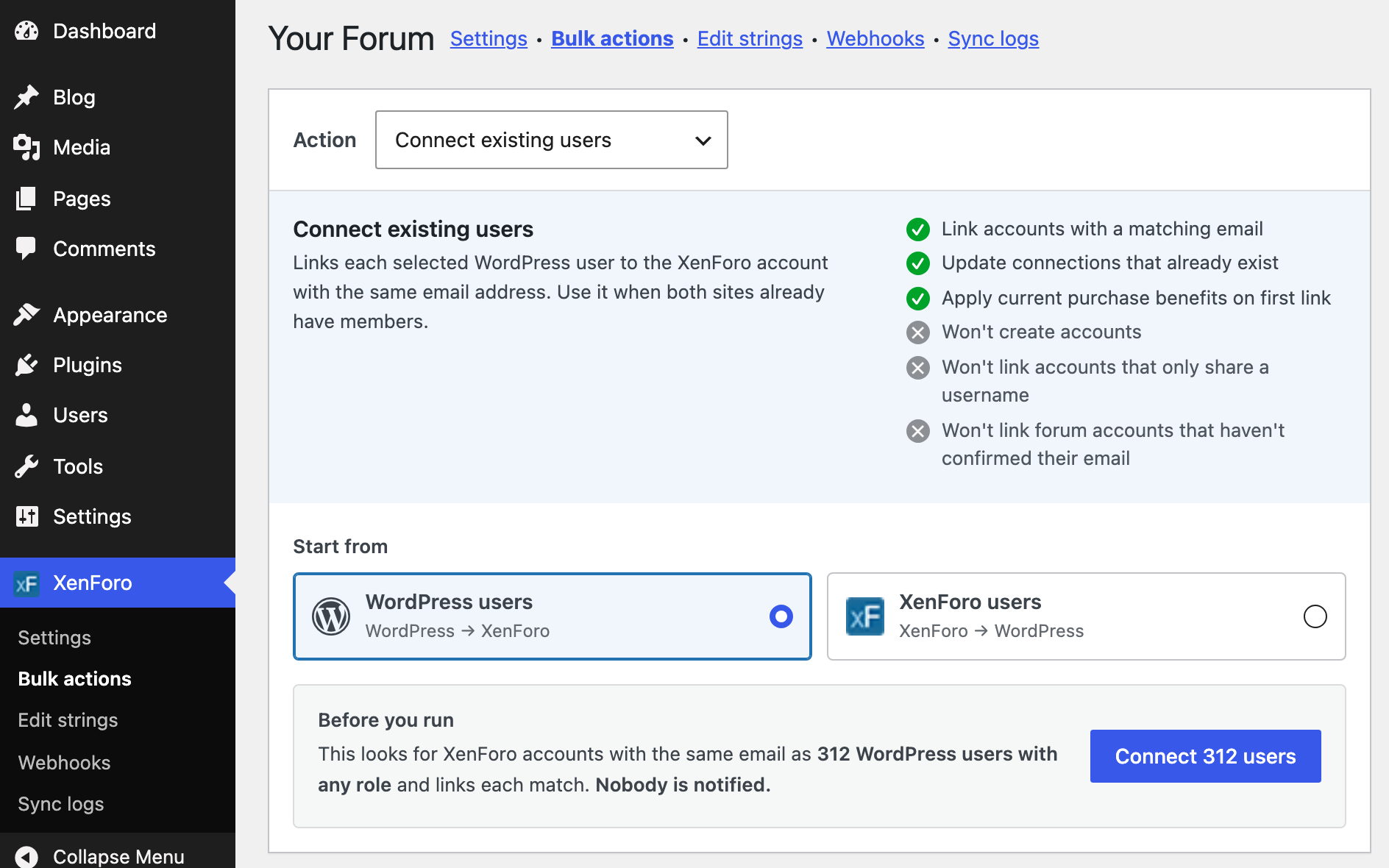
Keep the page open until the action finishes. If you leave or reload, it stops after the current batch. Users already processed stay changed.
Read the results
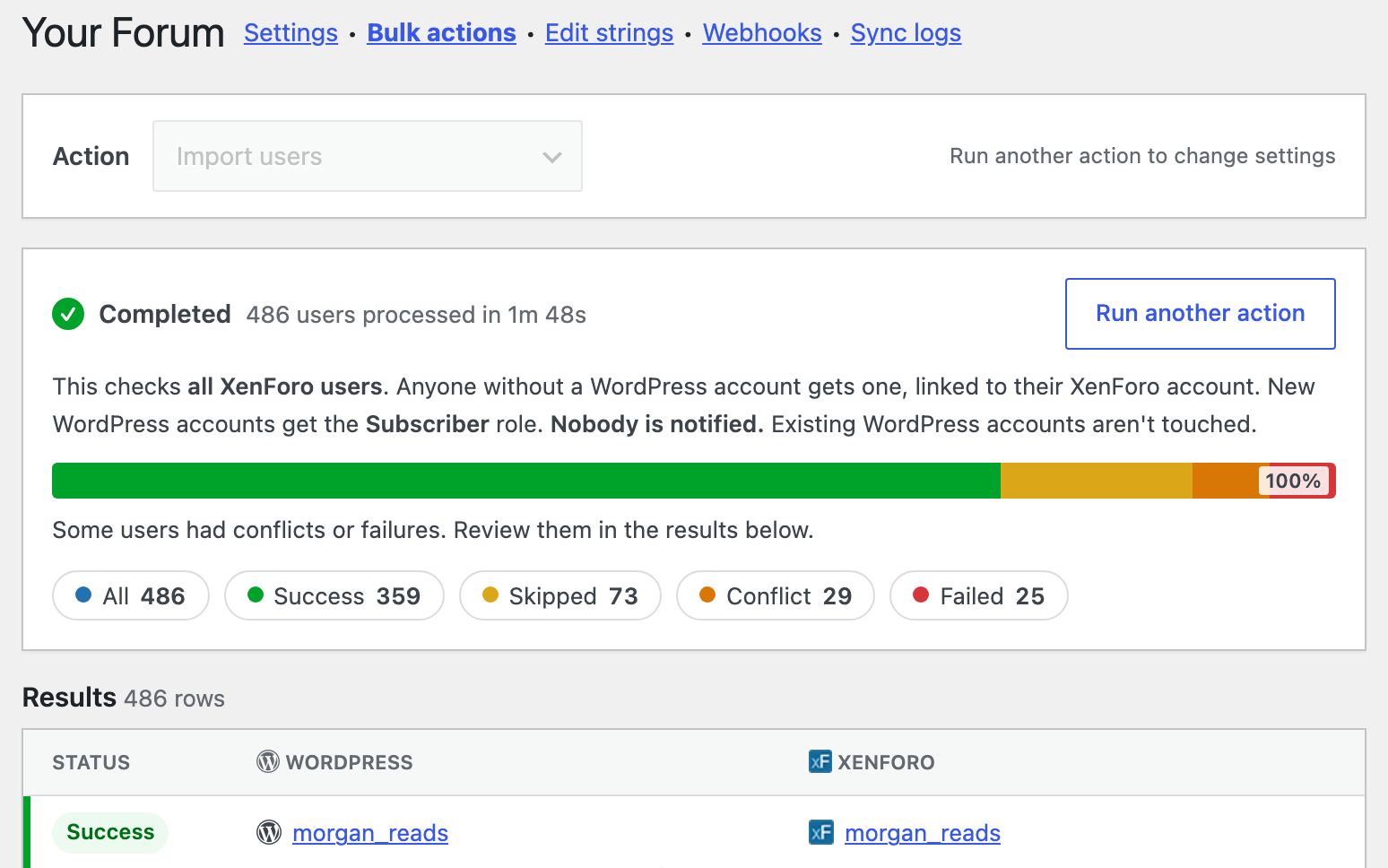
When the action finishes, each user gets a result and a short message explaining it:
- Success: the change was made.
- Skipped: there was nothing to do, for example no matching account on the other site, or the account already existed.
- Conflict: XFtoWP won’t decide for you, for example a forum username already used with a different email, or a forum account that hasn’t confirmed its email. Check these users on their Edit User screen.
- Failed: the change didn’t go through, for example because the forum couldn’t be reached. Run the action again for these users, or check XenForo → Sync logs.
What each action won’t do
- Import doesn’t change accounts that already exist, and doesn’t import forum accounts without a confirmed email.
- Connect doesn’t create accounts, doesn’t connect accounts that only share a username, and doesn’t connect forum accounts without a confirmed email.
- Refresh doesn’t create, connect or delete accounts, and doesn’t change passwords or emails.
- Disconnect doesn’t delete either account and doesn’t remove groups given on the forum. It removes groups XFtoWP added and clears custom user fields XFtoWP set.
Before you run on a live site
- Make a database backup.
- Try the action on a small group first, filtered by role or group.
- Registration sync and User actions don’t run during a bulk action, so no welcome messages or purchase actions are sent.
- Notify newly linked forum accounts sends an alert, conversation or email to every account connected in the run. On a large forum that can be thousands of messages.
After importing from the forum
Imported WordPress accounts get a random password. To let those members log in with their forum password, turn on Forum logins. See Let forum members log in to WordPress with their forum password.