Let forum members log in to WordPress with their forum password
If your community started on XenForo, your members know their forum password, not a WordPress one. With Forum logins turned on, they can log in to your WordPress site with their forum username or email and forum password.
Turn on Forum logins
- Go to XenForo → Settings → User syncing → WordPress.
- Under Login actions, turn on Use XF credentials on WP login form.
- Save settings.
This needs a super user API key with the auth permission.
What happens when a member logs in
WordPress checks the details first. If they don’t match a WordPress password, XFtoWP checks them with your forum:
- The forum account is connected to a WordPress account: the member is logged in to that account.
- No WordPress account exists yet: XFtoWP creates one with the forum username, email and password, connects it, and logs the member in.
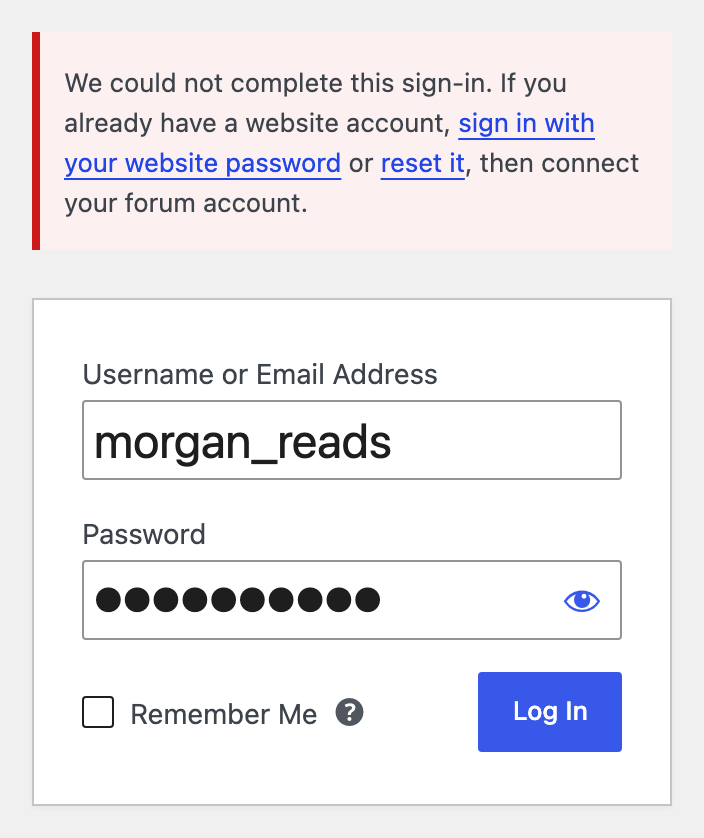
- A WordPress account already uses that email or username but isn’t connected: XFtoWP doesn’t log in or take over that account. The member sees links to log in with their WordPress password or reset it, and can then connect their forum account.
Administrators always log in with their WordPress password.
What this doesn’t do
- Being logged in on the forum doesn’t log a member in to WordPress. They still use the WordPress login form.
- Passwords aren’t kept the same on both sites. If a member changes their forum password, their WordPress password doesn’t change.
Members you imported from the forum
When you import forum users with Bulk Actions, their new WordPress accounts get a random password. Turn on Forum logins so they can log in with their forum password. See How to use Bulk Actions.
Check that it works
- In a private window, open your WordPress login form.
- Log in with a forum member’s forum username and password. Don’t use an administrator.
- You should be logged in to WordPress. The member’s Edit User screen shows the connected forum account.