User syncing
Sync your WordPress users with XenForo
When someone registers, logs in or buys on WordPress, XFtoWP creates or connects their XenForo account and updates their usergroups.
Included in every XFtoWP license · WordPress 6.2+ · XenForo 2.3+
The problem
Two sites means two sign-ups
Readers who register on your blog still have to create a second account before they can post on your forum.
Without User syncing
- Separate registration on each site
- Manual usergroup changes after a purchase
- Emails and passwords that don’t match
- No record of which blog users are on the forum
With User syncing
- A forum account created on WordPress sign-up
- Groups promoted on register, purchase and more
- Email and password changes synced
- A log of every connected user
Setup overview
How User syncing works
Connect your forum
Add your forum URL and XenForo API key in XFtoWP.
Choose your user actions
Pick what happens on register, login or purchase.
Forum accounts are created
XFtoWP creates or connects them, with groups and alerts.
Forum entrance
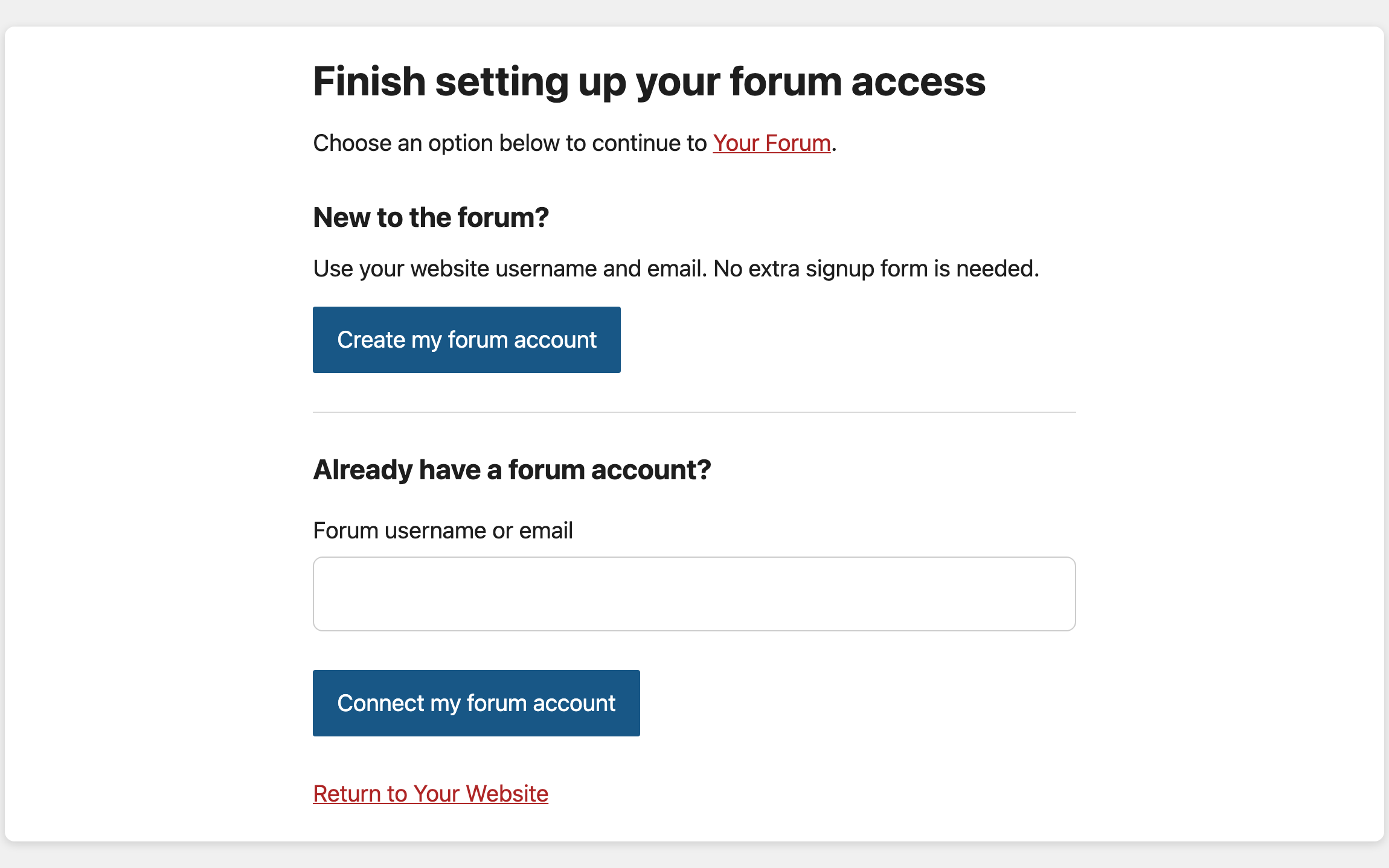
Forum entrance: one link into your forum
Add a forum link to your menu, buttons or member dashboard. Connected members go straight to the forum without logging in again.
- Works from menus, buttons and dashboards
- New members create a forum account
- Members who already have one confirm it instead
Login options
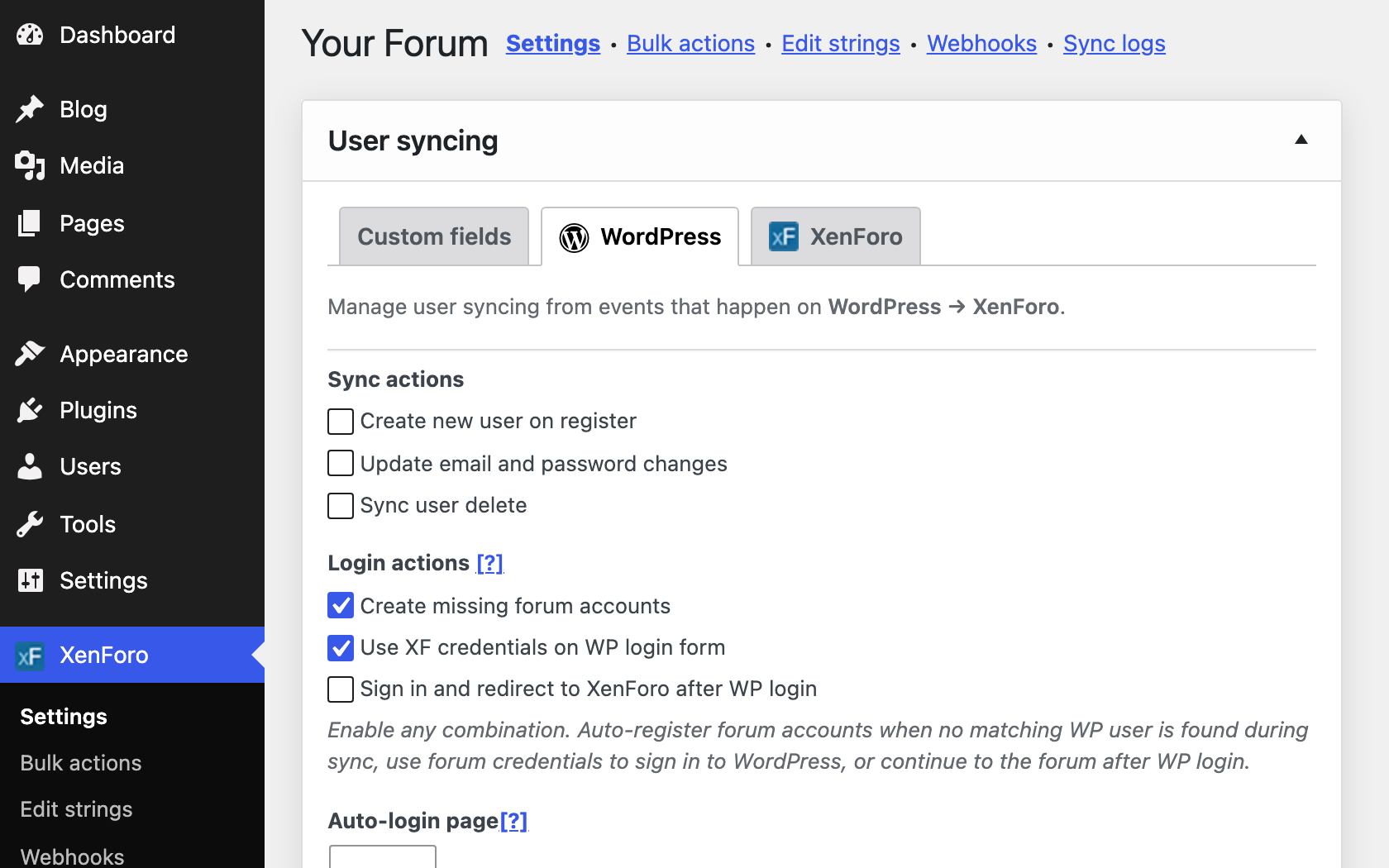
Forum logins on the WordPress login form
Turn on any combination of these login actions.
- Create missing forum accounts during sync
- Use forum credentials on the WordPress login form
- Continue to the forum after WordPress login
User actions
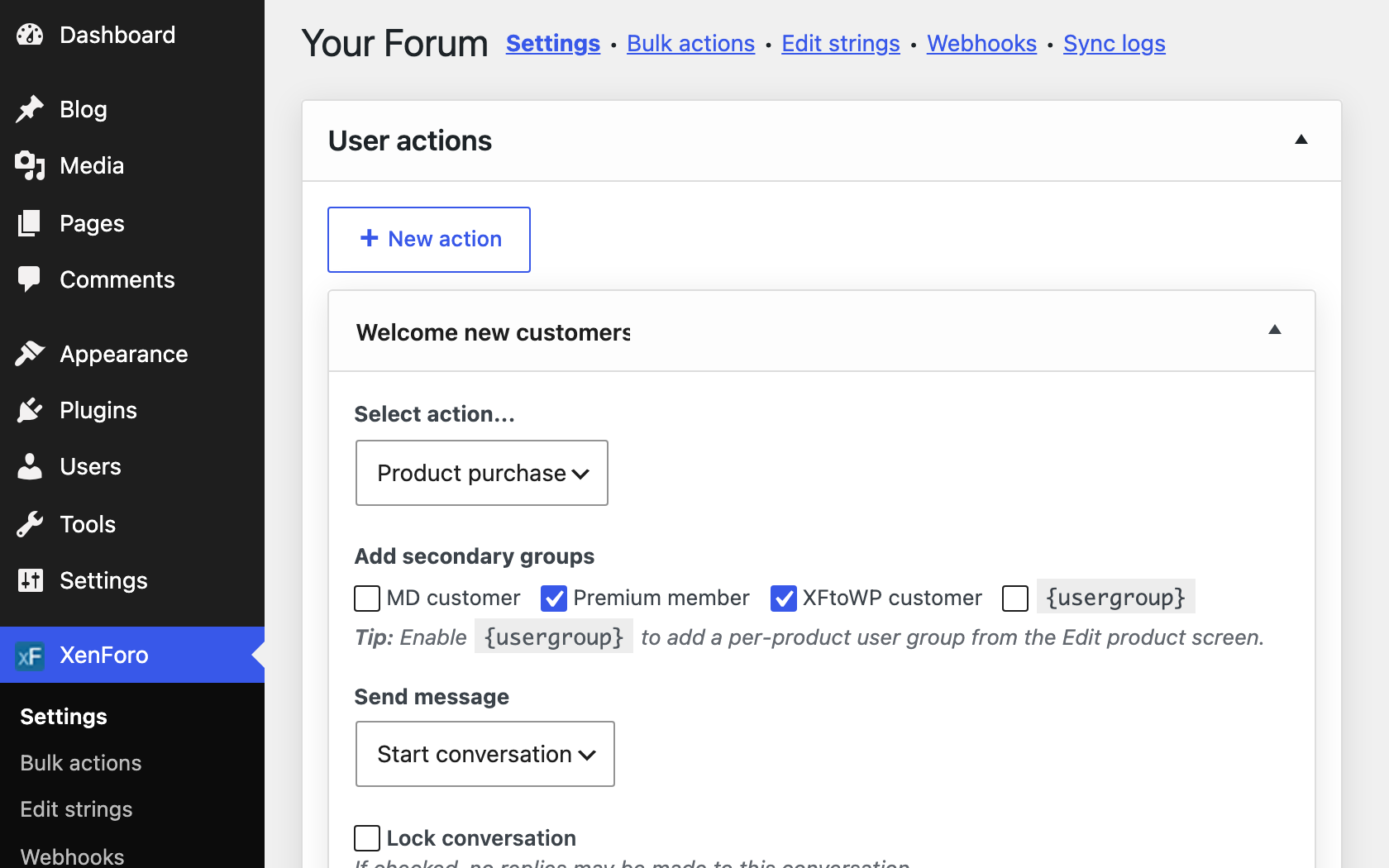
User actions to promote, message and register
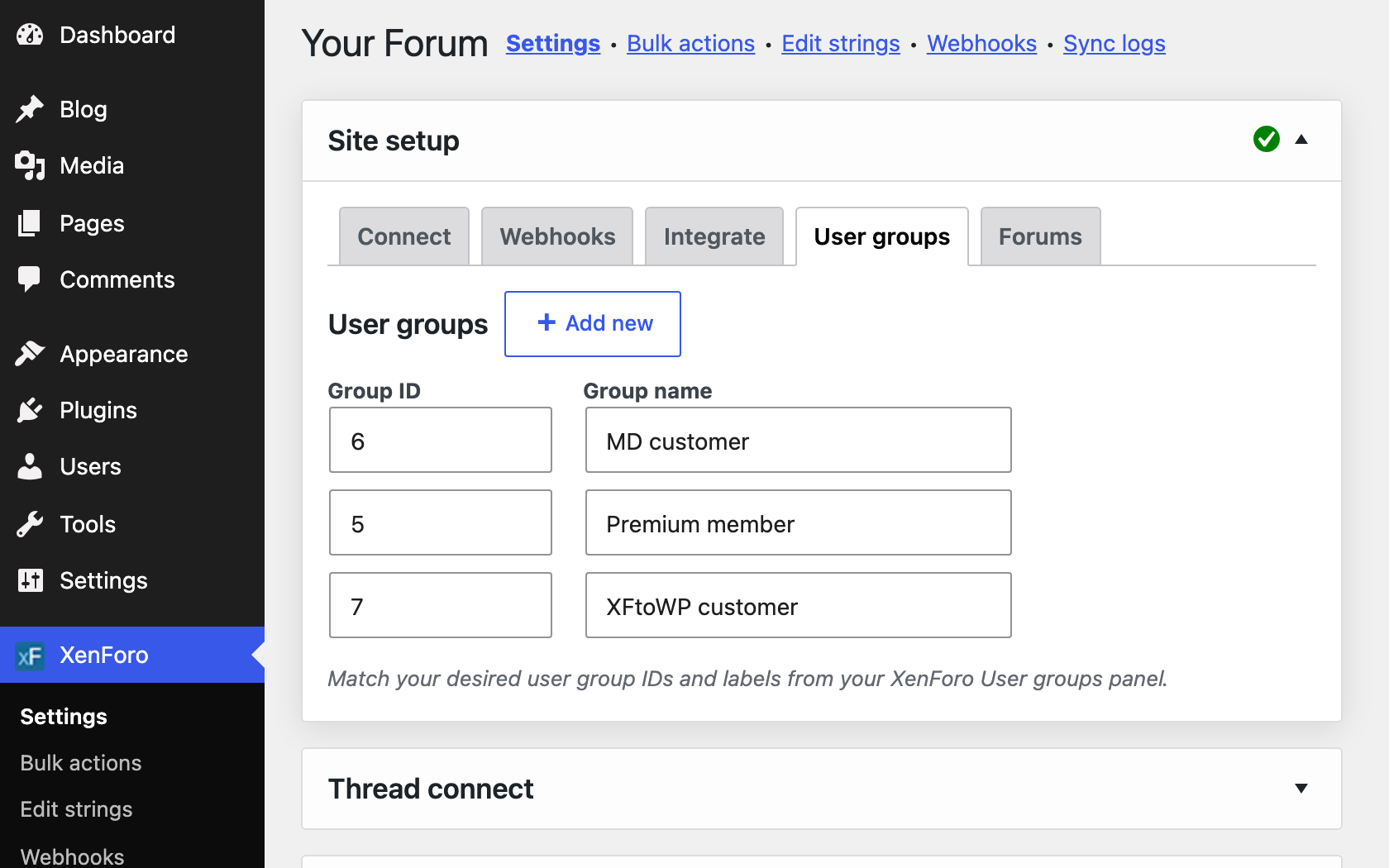
Set up actions that run when a WordPress event fires, from a new registration to a store purchase. Add your XenForo usergroups once and use them in any action.
- Promote and demote usergroups
- Send alerts and start conversations
- Connect to eCommerce and membership plugins
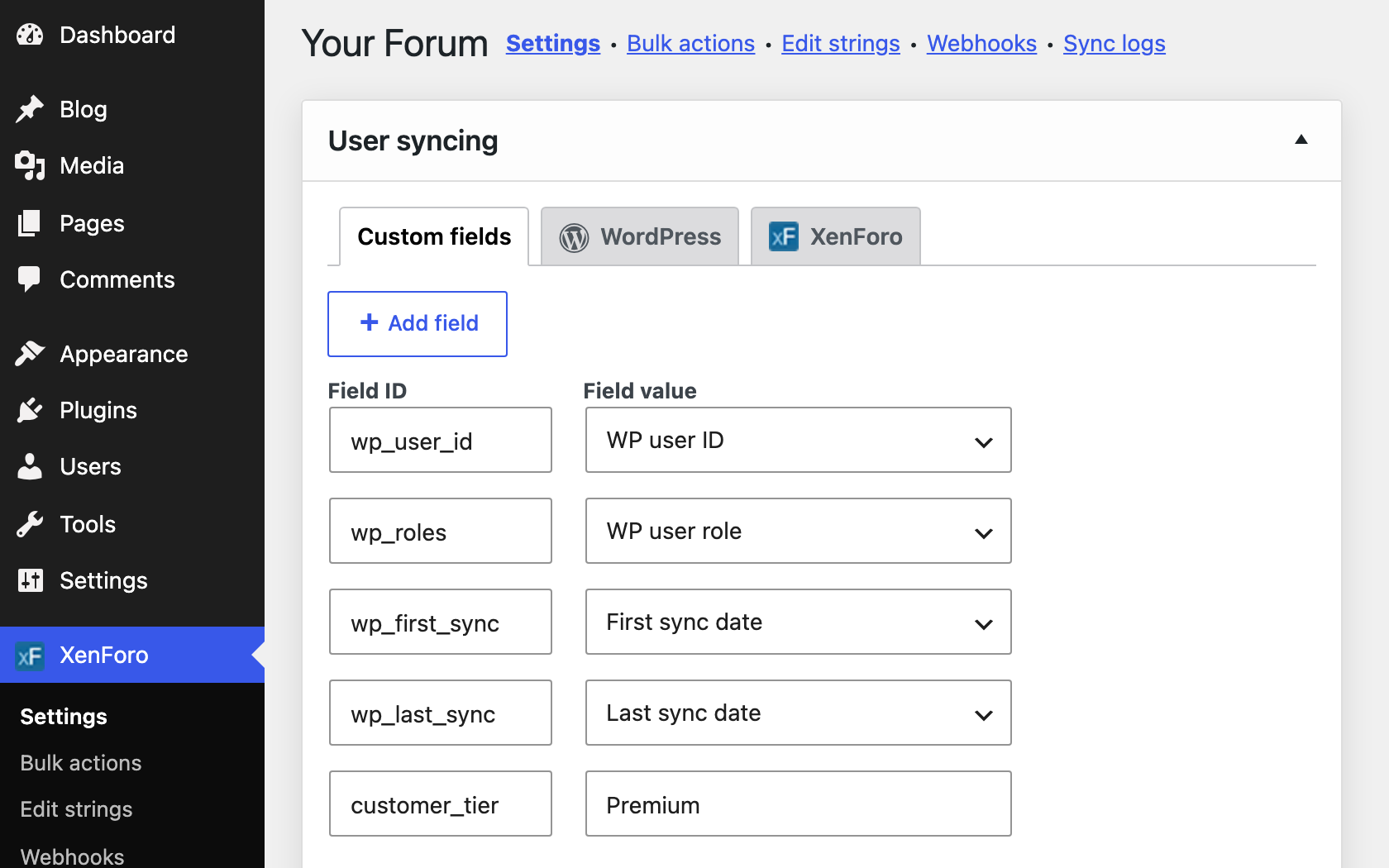
Custom user fields
Custom user fields for XenForo profiles
Send WordPress user data to custom fields on their XenForo account.
- Map any field from WordPress
- Refresh one user from the Edit User screen
- Refresh all users from Bulk Actions
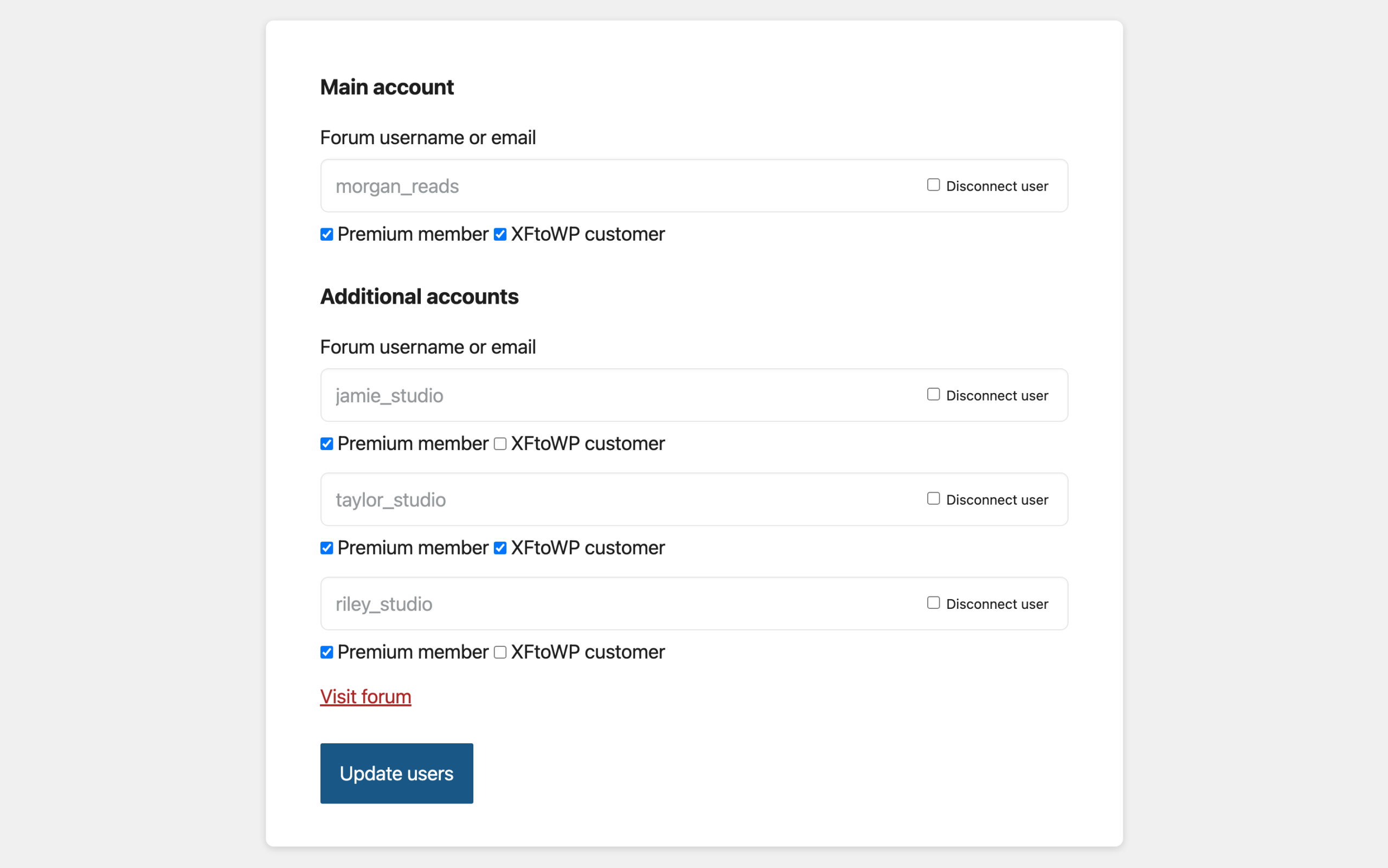
Team accounts
Team accounts for organizations
Account owners connect more forum accounts from their WordPress account, such as their staff or team, and give each one usergroups.
- You set the number of accounts per member
- Owners pick from the usergroups you allow
- Product groups only if the owner bought the product
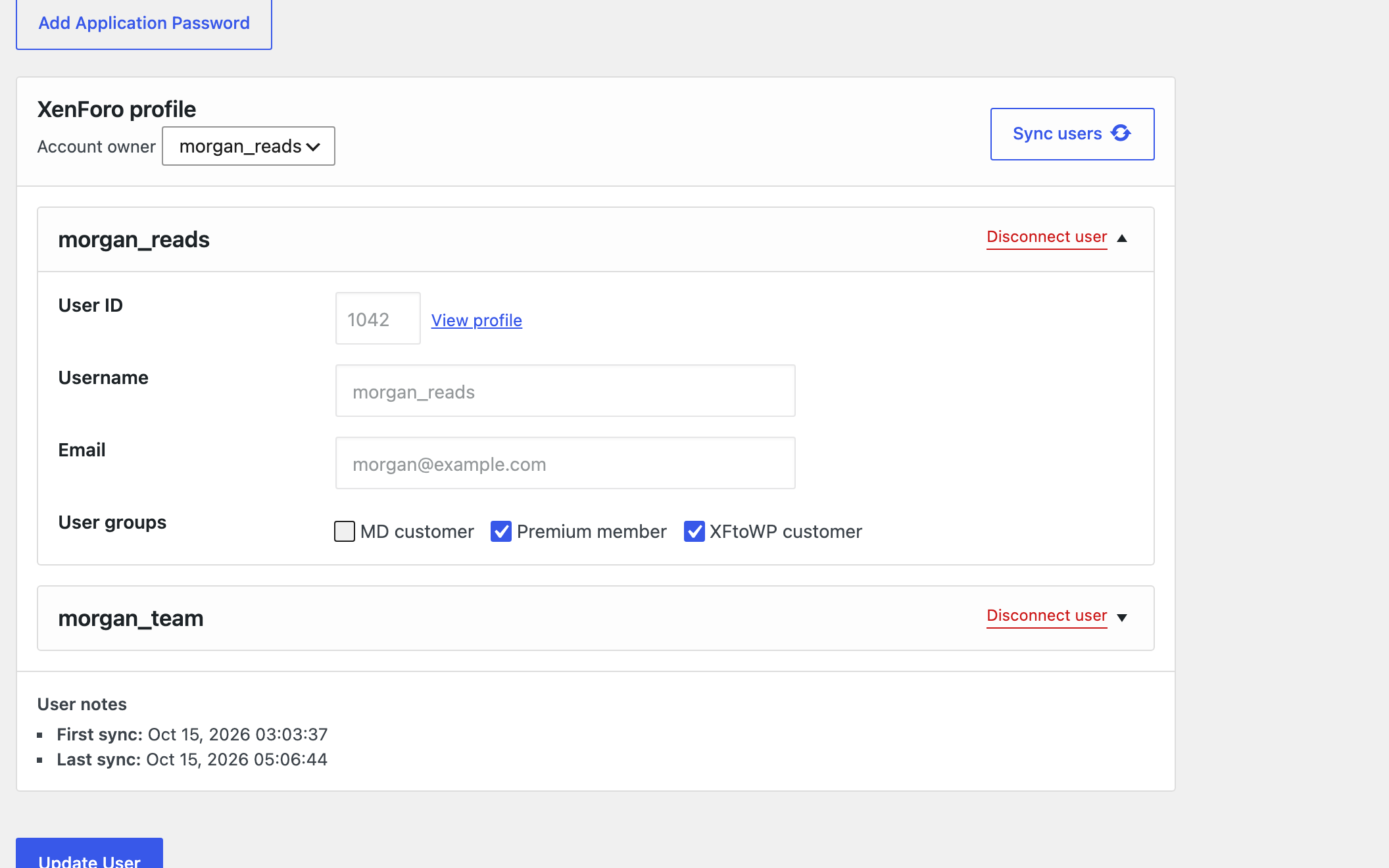
Edit User screen
Sync panel on the Edit User screen
Each WordPress user’s profile lists their connected forum accounts, with usergroups, sync dates and buttons to connect or disconnect them.
- XenForo username, ID, email and usergroups
- First and last sync dates
- Connect or disconnect forum accounts
At a glance
What’s included
Forum entrance New
One link takes members from your site into the forum.
Account confirmation New
Members connect an existing forum account by confirming they own it.
Sync user registrations
Create the same account on XF when users register to WordPress.
Forum logins
Members sign in to WordPress with their forum credentials.
Login redirects
Continue to the forum after WordPress login.
Sync email & password
Changes made in WordPress carry over.
Group promotions
Promote and demote on register, purchase and other actions.
Alerts + messages
Send alerts and new conversations to XF users.
Custom user fields
Send WordPress user data to XF profiles.
Team accounts
Owners connect more forum accounts and give them usergroups.
Sync panel
Refresh a member’s data and groups from Edit User.
User logs
See every connected user from the settings page.
Setup guides for every option: read the docs →
Questions about User syncing
Frequently asked questions
Have another question? Ask in the support forums.
Do my existing users get synced?
New activity syncs automatically. For users you already have, run an import with Bulk Actions, in either direction.
Does a forum account get created when someone registers on WordPress?
Yes, when you turn on Create new user on register. XFtoWP creates a matching XenForo account and connects the two.
What if a member already has a forum account?
They enter their forum username or email and confirm they own the account. You can also connect matching accounts for everyone at once with Bulk Actions.
Can members log in with their forum password?
Yes. Turn on Forum logins and members can sign in to WordPress with their XenForo username and password. Their accounts are connected when they sign in.
Can one WordPress user connect to more than one forum account?
Yes. With Team accounts, the account owner connects up to the number of forum accounts you allow, for example for staff, and picks their usergroups from the groups you allow.
Which store and membership plugins work with user actions?
WooCommerce, Easy Digital Downloads, SureCart, MemberPress, Memberium, LifterLMS, DigiMember and BuddyPress. Turn on the integrations you use in XFtoWP settings.
What happens to forum groups when a membership ends?
When a membership is cancelled, refunded, expired or left unpaid, XFtoWP removes the forum group, unless another purchase still grants it.
XFtoWP features
User syncing
Sync registrations, logins, groups and fields.
Bulk Actions
Import users both ways or refresh them all.
Thread connect
Forum threads under posts, replies as comments.
XF Content widget
Stats, latest posts and featured threads.
Strings Manager
Translate or edit every text string.
Developer tools
Templates, hooks, filters and API requests.
Get User syncing with XFtoWP
One license includes User syncing, every other XFtoWP feature, and a year of updates and support.
$79 · 40% off renewals
Instant download
Docs & forum support