Bulk Actions
Import and connect your existing users
Bulk Actions imports, connects, refreshes or disconnects members in batches, in either direction, from your WordPress dashboard.
Included in every XFtoWP license · WordPress 6.2+ · XenForo 2.3+
The problem
Your members are already on one site
Adding a forum to a blog, or a blog to a forum, usually means exporting spreadsheets and fixing duplicate accounts by hand.
Without Bulk Actions
- A new forum with no members
- Spreadsheet exports and imports
- Duplicate accounts for the same person
- Changing each member’s groups by hand
With Bulk Actions
- Import users in either direction
- Connect accounts that share an email
- Refresh every connected user at once
- Disconnect users and keep both accounts
Setup overview
How Bulk Actions works
Pick an action
Import, Connect, Refresh or Disconnect users.
Choose users and changes
Filter by role or group, and set the role and groups for new accounts.
Accounts are linked
Bulk Actions works in batches and shows a result for every user.
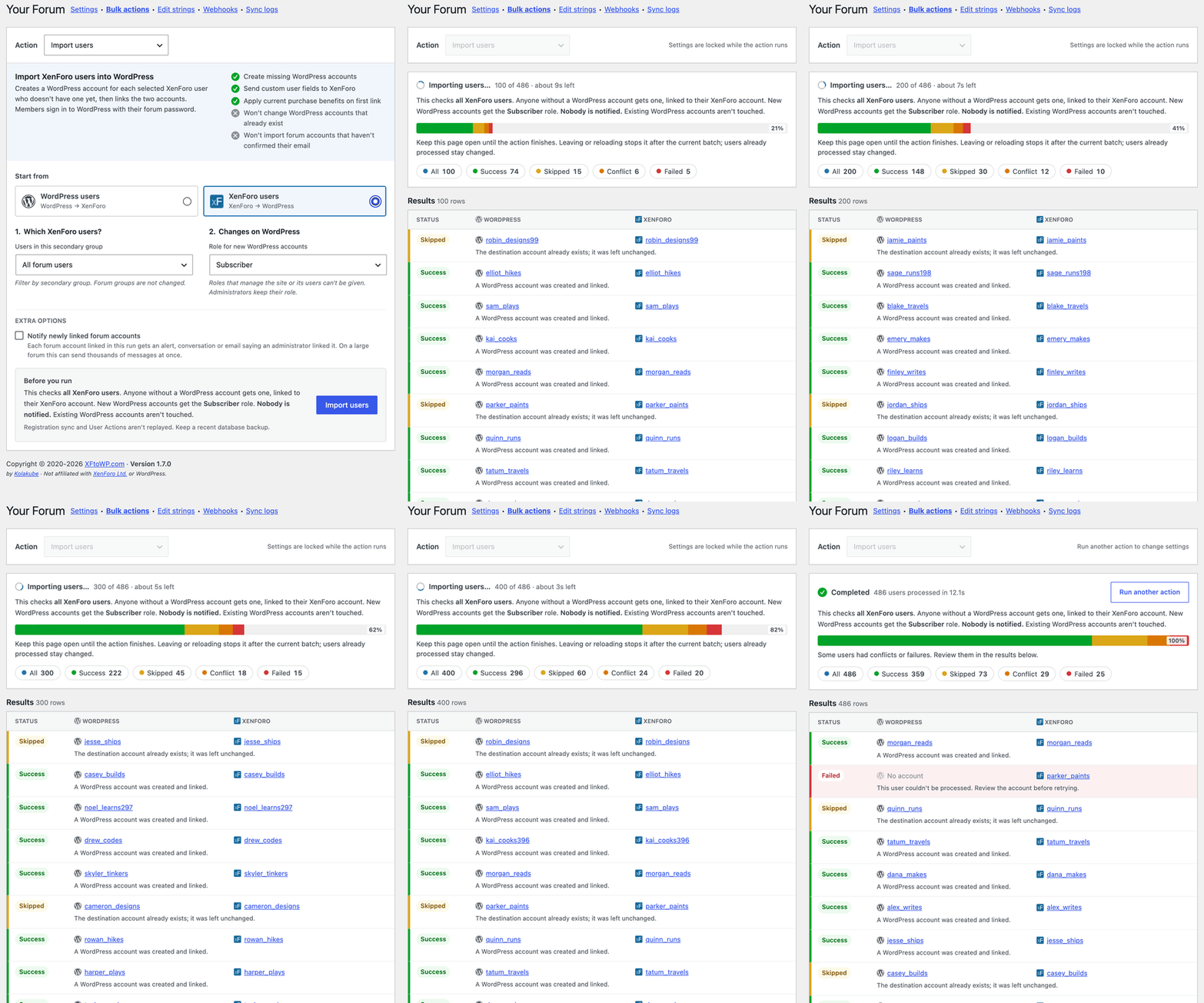
Import users
Import users from WordPress or XenForo
Create missing accounts on the other site and link them. Accounts that already exist are left unchanged.
- WordPress to XenForo, or XenForo to WordPress
- Set the role or groups for new accounts
- A result for every user, with the reason
Connect existing users
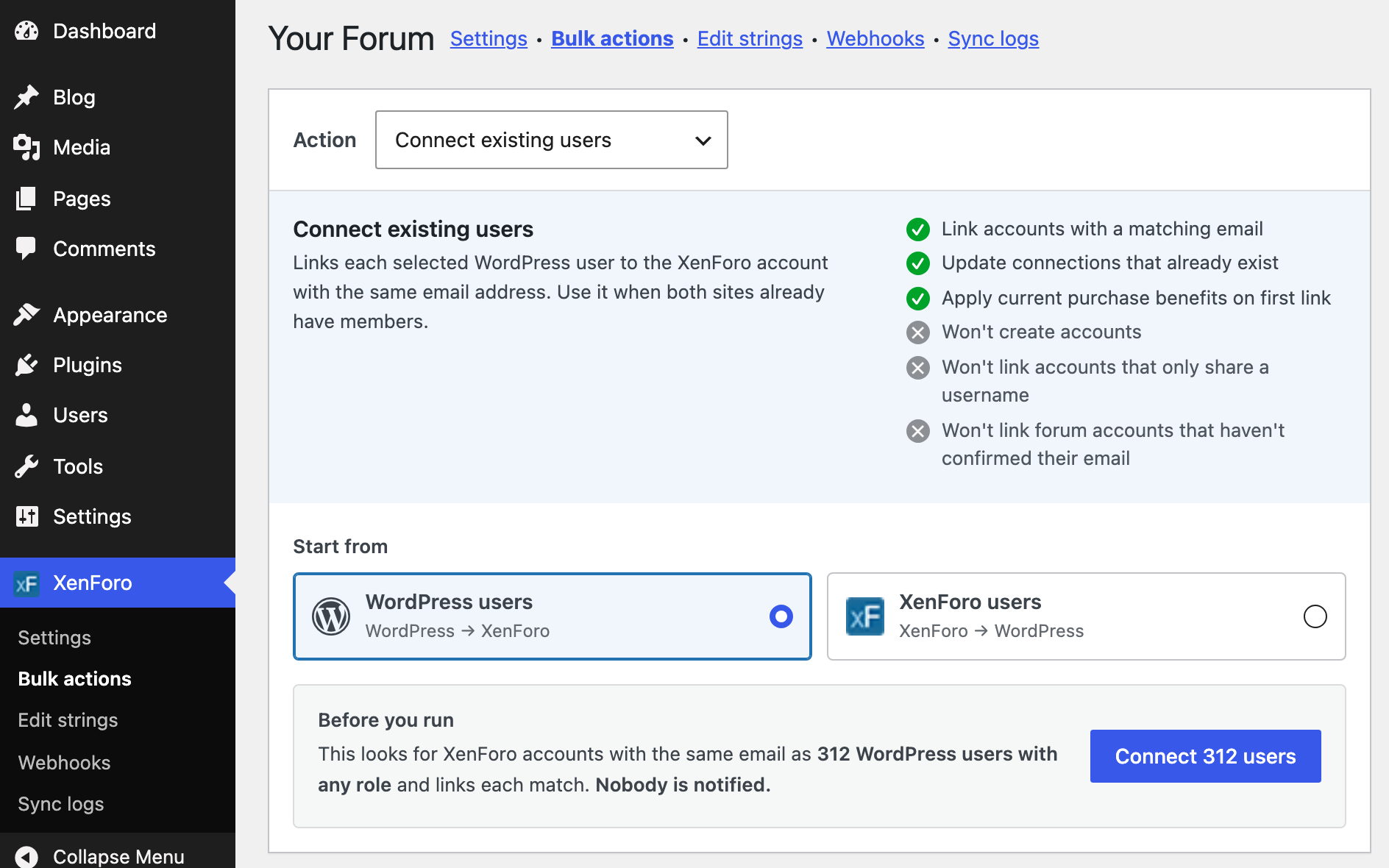
Connect existing users by email
When members have accounts on both sites, Connect links each pair that shares an email address. The forum account needs a confirmed email.
- Matches by email, not username
- Skips forum accounts without a confirmed email
- Lists conflicts for you to review
Refresh and disconnect
Refresh users and Disconnect users
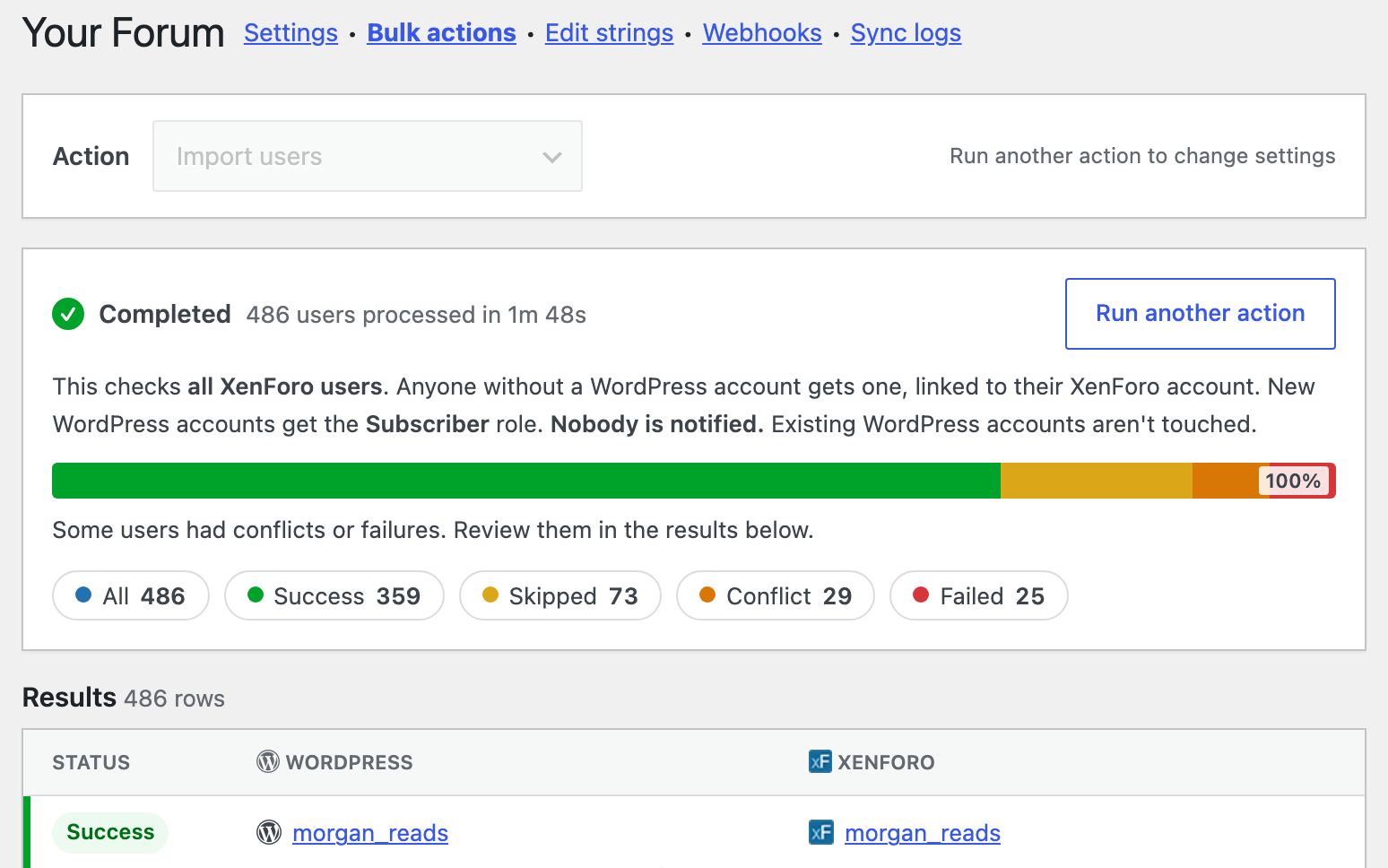
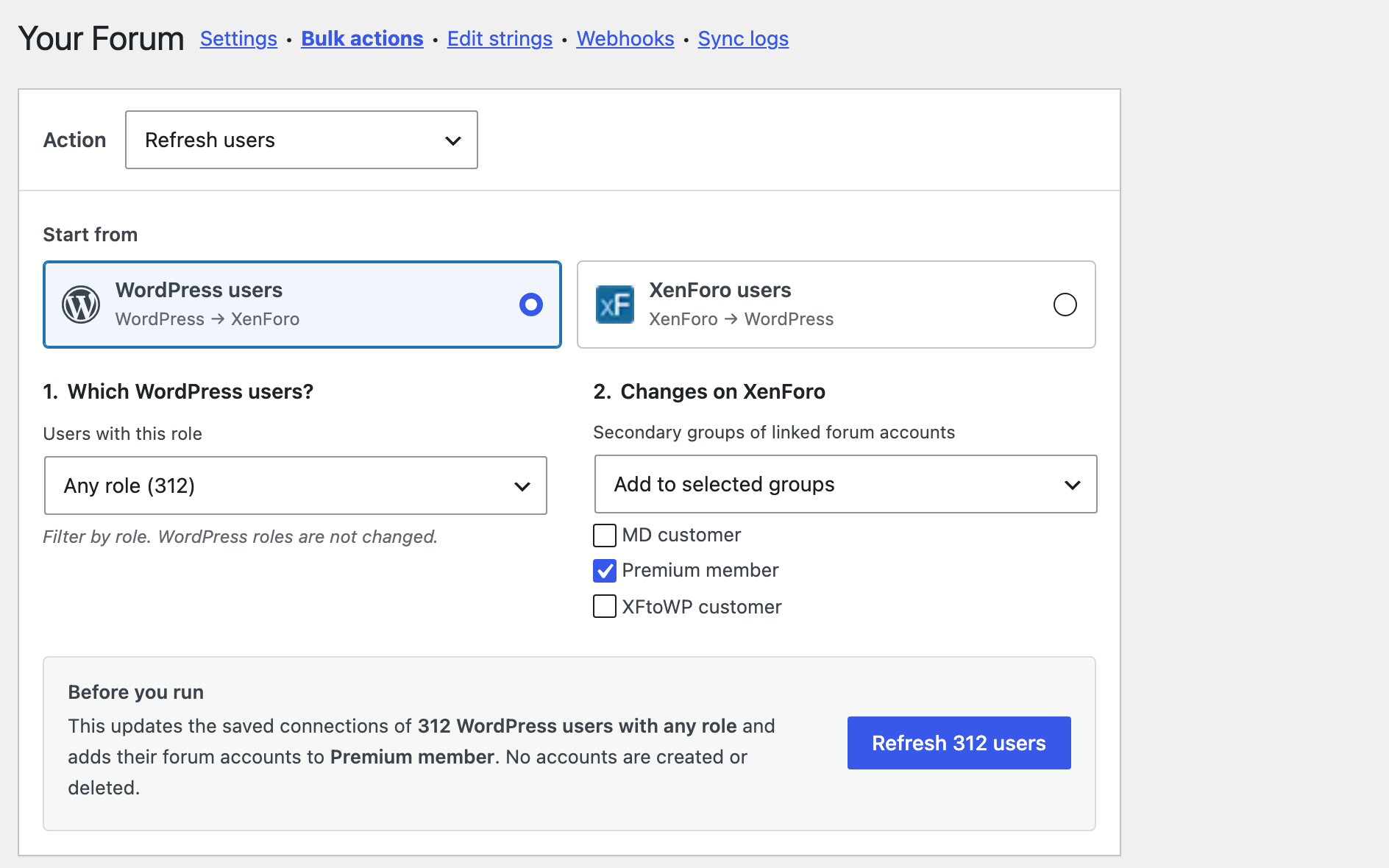
Refresh updates saved forum usernames, profiles, roles and groups. Disconnect removes saved connections and keeps both accounts.
- Send custom user fields to XenForo
- Change the WordPress role of linked users
- Remove only the groups XFtoWP gave
At a glance
What’s included
Import users
Create missing accounts on WordPress or XenForo and link them.
Connect existing users
Link accounts on both sites that share an email.
Refresh users
Update connections, profiles, roles and groups.
Disconnect users
Remove saved connections and keep both accounts.
Roles and groups
Choose the role and groups for new or linked accounts.
Run results
See success, skipped, conflict or failed for every user.
Setup guides for every option: read the docs →
Questions about Bulk Actions
Frequently asked questions
Have another question? Ask in the support forums.
Will Import create duplicate accounts?
No. If the account already exists on the other site, Import leaves it unchanged. Use Connect to link accounts that exist on both sites.
How does Connect match accounts?
By email address. The forum account must have a confirmed email, and any conflicts are listed for you to review.
Can imported members sign in with their forum password?
Only if you turn on Forum logins. Imported WordPress accounts get a generated password, and forum passwords are not copied.
What does Disconnect remove?
The saved connections. You can also clear mapped custom fields on XenForo and remove the forum groups XFtoWP gave. Both accounts, and groups set on the forum, are kept.
Do members get notified?
Only if you choose. Turn on Notify newly linked forum accounts to send an alert to accounts linked in that run.
Do I need Bulk Actions if I use User syncing?
User syncing handles new registrations, logins and purchases. Bulk Actions handles the users you already have.
Can I run a refresh again later?
Yes. Refresh users can run any time, for example after you change custom user fields.
XFtoWP features
User syncing
Sync registrations, logins, groups and fields.
Bulk Actions
Import users both ways or refresh them all.
Thread connect
Forum threads under posts, replies as comments.
XF Content widget
Stats, latest posts and featured threads.
Strings Manager
Translate or edit every text string.
Developer tools
Templates, hooks, filters and API requests.
Get Bulk Actions with XFtoWP
One license includes Bulk Actions, every other XFtoWP feature, and a year of updates and support.
$79 · 40% off renewals
Instant download
Docs & forum support